CAD and GIS Software Utilities from Guthrie CAD/GIS Software

QA-CAD
Overlay drawings with auto-numbered balloons embedded with data & attributes. Pickup dimension values from PDF/CAD drawings. Export data to CSV/spreadheet. Built in tolerance tables.
Product Info Price Download
First Article Inspection software
PPAP software

CAD Viewer 2024
AutoCAD drawings viewer with an intuitive user interface that anyone can use. View, print, save to PDF, raster. Read all DXF and DWG drawings up to the latest AutoCAD 2024
release. Read DGN, HPGL, Esri shapefile, raster, and PDF drawings.
Product Info Price Download

Arcv2CAD 8
Converts
ArcView/ESRI shapefiles to AutoCAD® DXF / DWG formats and KML. It allows shapefiles to be read by CAD software, such as AutoCAD, Bricscad, MicroStation, Visio, just to name a few.
Product Info Price Download

CAD2Shape 2020
Convert AutoCAD DXF/DWG files to ArcView/ESRI shapefile format. It is a stand alone CAD to Shapefile converter, translating all AutoCAD DXF and DWG versions up to and including AutoCAD 2024.
Product Info Price Download

CAD Markup 2024
All CAD Viewer functions + overlay drawings with red-lining elements such as text, lines, boxes and arrows, images, dimensions. All markup elements are stored separately so the the original drawing is kept as is. Switch markups on off with a single toggle button. Print, or save changes to PDF, and raster formats.
Product Info Price Download

CAD BatchCommand 2024
Enables batch printing and conversion of CAD drawings via the command line and opens drawings via a simple call or link. Converts CAD drawings to formats such as BMP, JPG, PDF, and TIFF, or prints CAD drawings, with the ability to convert or print thousands of drawings in a single operation.
Product Info Price Download

dwgConvert 2024
Converts between DXF and DWG files, and between DXF and DWG versions. All DXF/DWG versions through to AutoCAD 2024 are supported.
Product Info Price Download
AutoCAD to PDF converter
DWF to PDF converter
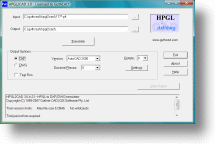
HPGL2CAD + HPGL2PDF 2024
HPGL and HP-GL/2 .plt files to DXF/DWG/PDF converter. Outputs all DXF and DWG versions up to AutoCAD 2024.
Product Info Price Download